


















Card Declined During Holiday Shopping? Why Fraud Alerts Trigger and How to Fix It Fast
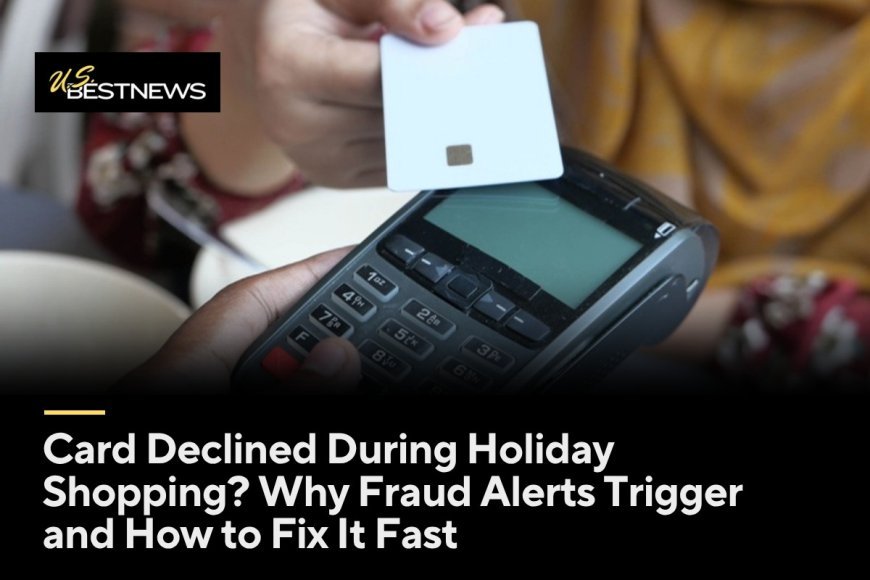
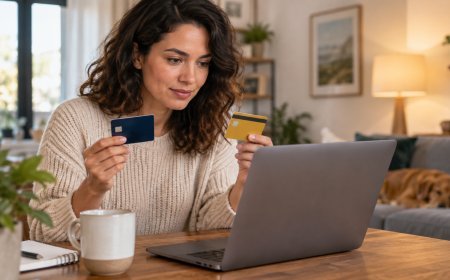
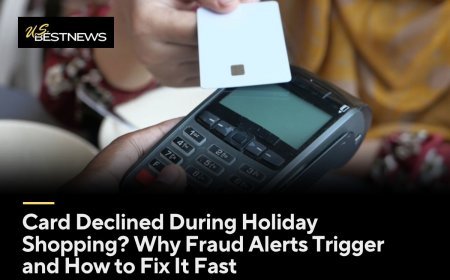
There is a line behind you, the cashier is waiting, and the card reader flashes: declined. You know there is money in the account. You know you paid the bill. The problem is often not your balance at all. It is your bank's fraud system, which noticed something unusual about the purchase and decided to stop it first and ask later.
Holiday shopping is full of unusual purchases, so fraud alerts trigger more often. Knowing why it happens, and how to fix it in a few minutes, can turn a stressful moment into a minor delay. A little setup now can also prevent the decline in the first place.
Why fraud systems flag holiday purchases
Card issuers use automated systems that compare each purchase with your normal patterns. A large purchase at a store you have never visited, several purchases in quick succession, an online order shipped to a new address, or shopping in another city can all look like signs of a stolen card.
Holiday habits happen to match many of those warning signs. People buy bigger items, shop at new retailers, send gifts to relatives' addresses, and travel. To a computer, a sudden burst of unfamiliar spending looks risky, even when it is completely normal for you in December.
Other things cause declines too. Your card may be expired or replaced, you may have hit a credit limit or daily spending limit on a debit card, the merchant's system may have an error, or the billing ZIP code you entered online might not match. Fraud holds are just one possibility, but they are a common one during the holidays.
Fix it fast at the register
Check your phone. Many banks send a text, app notification, or email when they block a suspicious purchase, asking you to confirm whether it was you. Respond through the bank's app or by replying to a verified alert in the way your bank describes. Once you confirm, you can often retry the purchase within minutes.
If you do not see an alert, call the number on the back of your card. Do not search online for a phone number, and do not use a number from an unexpected text or email. Tell the representative the purchase was yours, and ask them to approve it. Ask whether anything else is blocked.
Have a backup payment method. Carrying a second card or having a digital wallet set up can let you finish the purchase while you sort out the first card. It keeps the moment from becoming a crisis.
Watch out for fake fraud alerts
Scammers know that people expect fraud alerts in the holiday season. They send fake texts or make calls that look like they come from your bank, asking you to confirm a purchase and then share a code, a password, or your card number. Your bank will not ask you to read back a one-time code that it sent to verify your identity in a call it initiated.
If you get an alert asking you to click a link or call a number, be cautious. Open your bank's app directly or call the number on your card instead. If a caller pressures you to act fast or move money to a safe account, hang up. That is a scam.
A real fraud alert usually asks a simple yes or no about a specific purchase. It does not ask for your full card number, your PIN, or your online banking password. When in doubt, stop and contact your bank yourself.
Set up your accounts before the rush
Make sure your bank has your current phone number and email address. If those are outdated, alerts may go to an old number, and you will not get the chance to confirm a purchase. Update them in your app or online banking.
Turn on purchase alerts in your bank's app. Many apps let you get a notification for every transaction or for purchases above a certain amount. These alerts help you spot real fraud quickly and confirm legitimate purchases easily.
If you plan to travel, check whether your bank wants a travel notice. Many issuers say they no longer need them because their systems detect travel, but some still offer the option. It does not hurt to check.
Know your limits
Debit cards often have daily spending and ATM limits that are separate from your account balance. A large purchase can be declined simply because it exceeds the limit. Check your limits in your app or ask your bank. Some banks will raise them temporarily if you ask.
Credit cards have credit limits, and holiday spending can push you close. Pending transactions and holds, such as hotel or rental car holds, can tie up part of your available credit. If you plan a large purchase, check your available credit first and consider paying down part of the balance in advance.
If you use a buy now, pay later service or store financing, check your approval and limits before you reach the checkout. Declines on those services follow different rules from your bank card.
What to do if the charge really was fraud
If you see a charge you did not make, contact your bank right away. With credit cards, federal law limits your liability for unauthorized charges, and many issuers offer zero liability policies. With debit cards, your protection depends partly on how quickly you report the problem, so speed matters.
Your bank will usually cancel the card and send a new one. Update any automatic payments that used the old card number, such as streaming services or utilities. A digital wallet on your phone may update automatically, but check to be sure.
Review your other accounts and credit reports for signs of identity theft. You can get free credit reports from AnnualCreditReport.com. If you think your identity is at risk, consider a fraud alert or credit freeze with the three credit bureaus.
Shopping abroad or on foreign websites
Purchases from overseas websites can trigger declines and may carry foreign transaction fees. Check whether your card charges these fees before you buy. If a site offers to charge you in dollars instead of the local currency, the conversion rate may be worse than your card's rate.
Before a big trip or a major purchase abroad, call your bank or check the app to confirm your card will work where you are going. A few minutes of setup can save you from a declined card in an unfamiliar place.
A quick holiday checklist
Before you shop, confirm your contact information with your bank, turn on transaction alerts, check your spending limits, and set up a backup payment method. These steps take a few minutes and can save you a frustrating moment at the register.
When a decline happens, check your phone for an alert, respond through the official app or call the number on your card, and retry the purchase. Never share codes or passwords with someone who contacts you. If you spot fraud, report it right away.
The takeaway: a declined card in December often means your bank is trying to protect you, not that something is wrong with your account. Set up alerts, know your limits, and keep the number on the back of your card handy. With a little preparation, a decline becomes a short pause rather than a ruined shopping trip.
What's Your Reaction?
 Like
0
Like
0
 Dislike
0
Dislike
0
 Love
0
Love
0
 Funny
0
Funny
0
 Angry
0
Angry
0
 Sad
0
Sad
0
 Wow
0
Wow
0